Sign in to DataFrame™
Garmin tells you what you did. TrainingPeaks tells you what was planned. DataFrame tells you whether today's plan still fits your recovery - and whether the quality of the work is trending the right way.
Sign in to DataFrame.fit with Google. Sync Garmin, optionally TrainingPeaks and MyWhoosh. Plan your week onto Garmin, check recovery, compare quality, log protein, and share activity, day, or week cards - free for endurance and hybrid athletes.
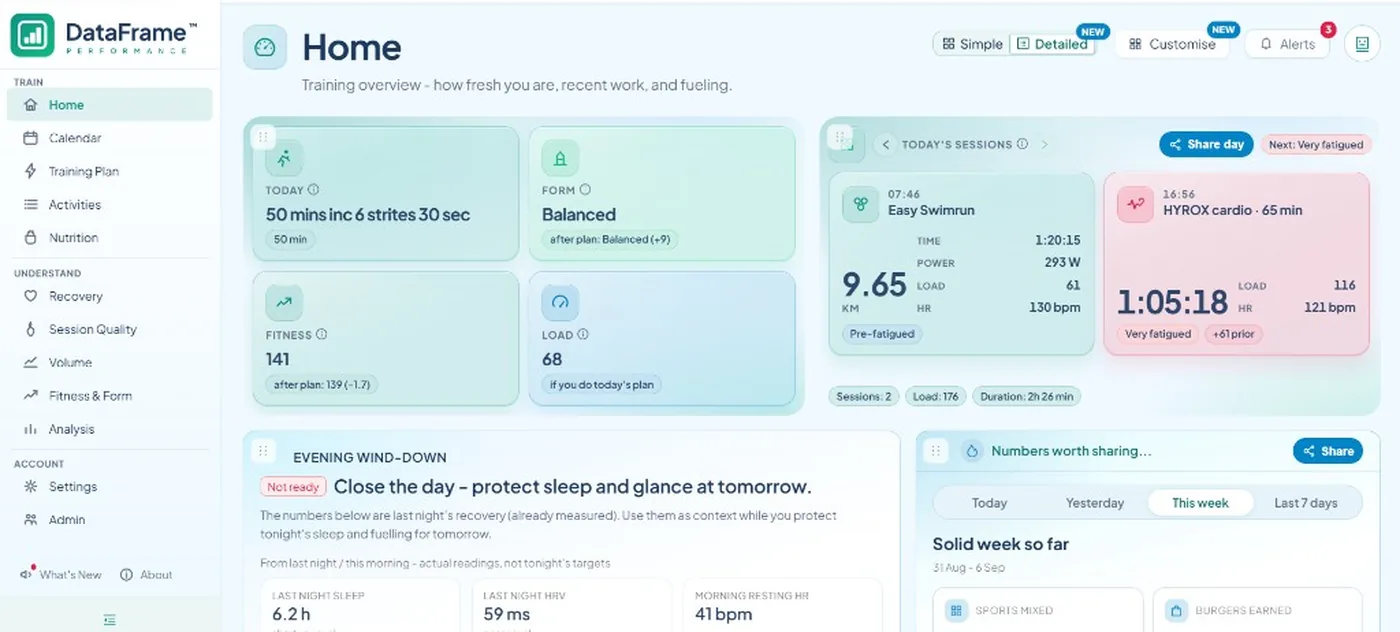
Home shows whether the plan still fits
Overnight recovery, form, fitness, load, and today's session on one screen. New Garmin activities appear as they download, so you decide before you leave the house.
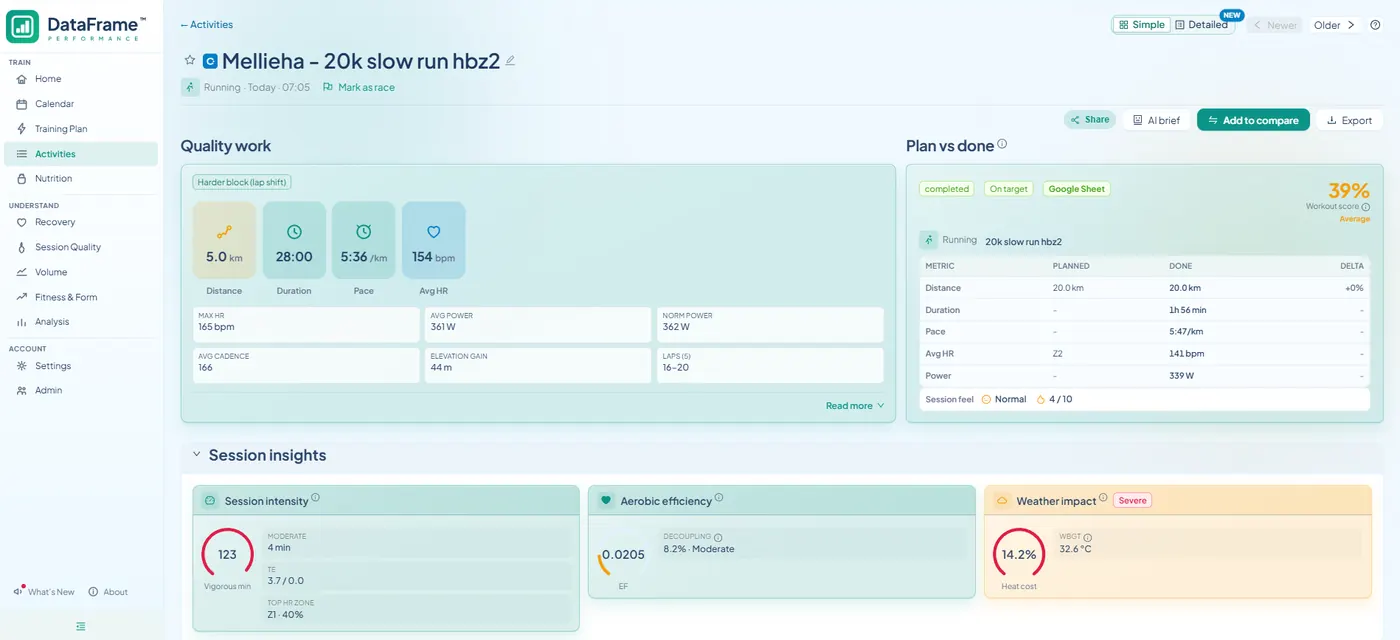
Open a session and see if the work landed
Plan vs done, the hard block, zones, and whether repeats faded. Not only the session average - the quality of the work.
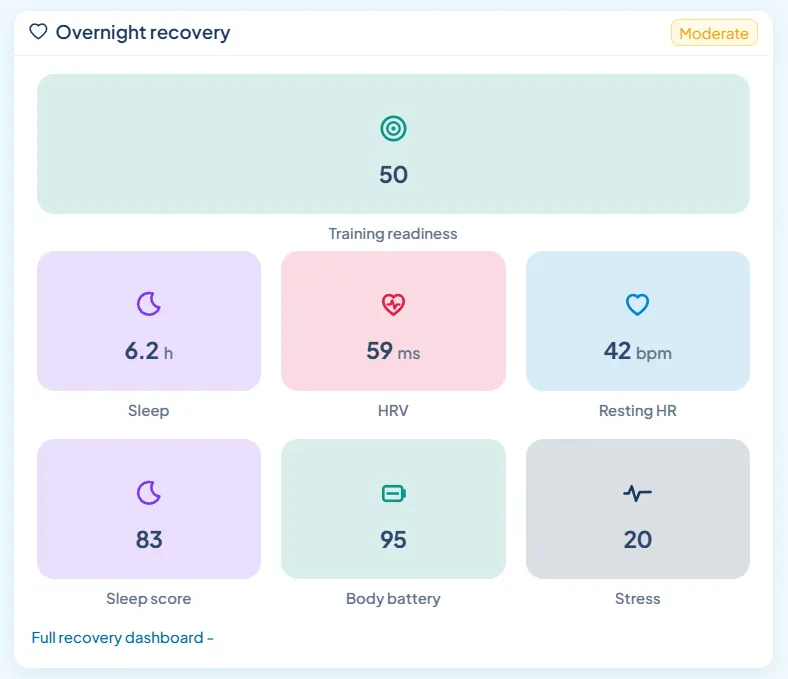
See if last night still supports today's work
Training readiness, sleep, HRV, Body Battery, and stress from Garmin. Spot a deficit before you pile on more volume.
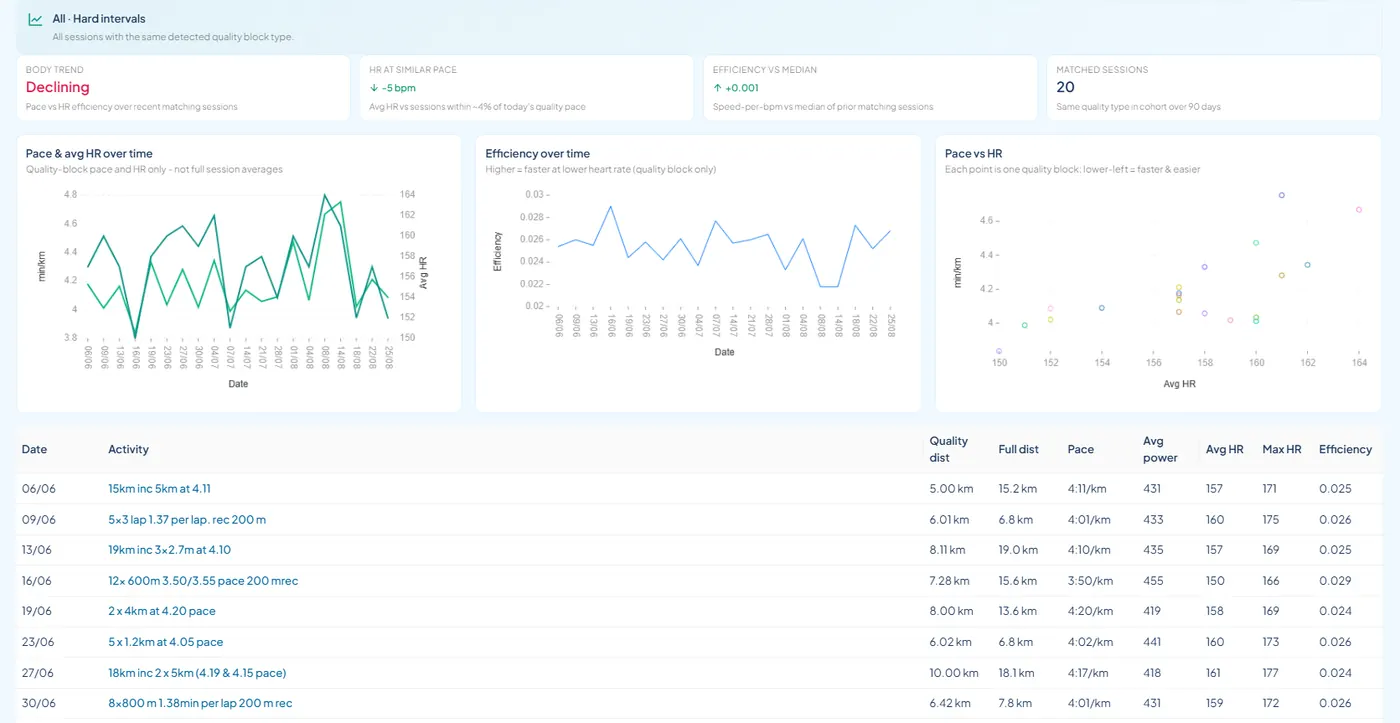
See if the quality work is trending
Matching interval sessions over months: pace, heart rate, and efficiency. Not only last week's average - whether the hard work is moving.
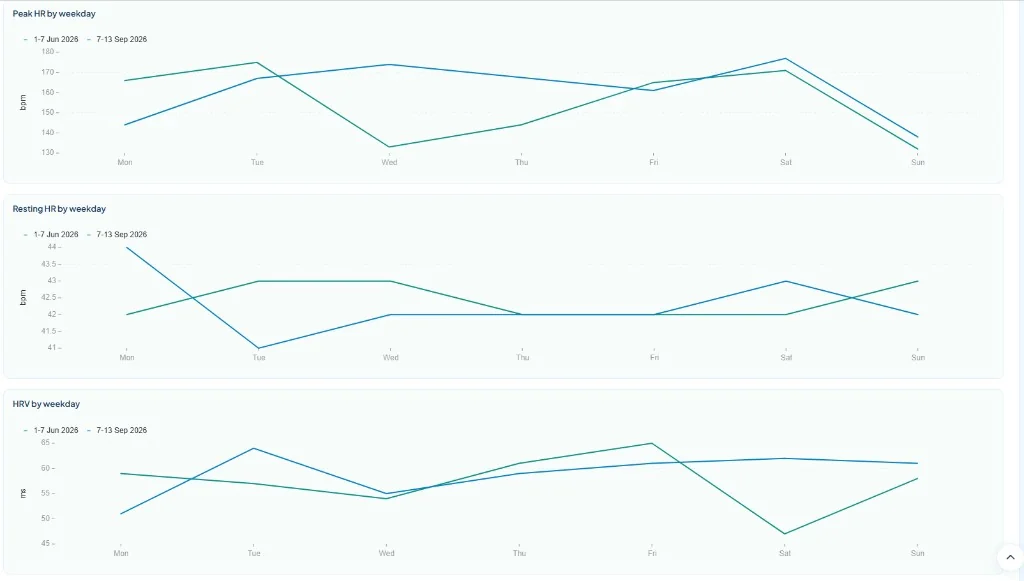
Line up two weeks, day by day
Peak HR, resting HR, and HRV overlay Monday to Sunday. Open Compare weeks from Calendar, or from a race to put the week before next to race week.
Highlights beyond Garmin Connect and TrainingPeaks alone
- Today's plan check - Suggests keep, shorten, or easier sessions from overnight recovery and training load.
- Quality-block compare - Compares hard-work intervals across sessions, not only full-session averages.
- Compare weeks - Puts two to four Monday-Sunday weeks side by side - load, heart rate, sleep, HRV, and Form - including race week vs the week before.
- Brick history and fade - Same-day paired sessions (bike→run, strength↔run, hybrid) with fade on the second leg.
- Hybrid sports first-class - HYROX and CrossFit tagging, volume splits, and bricks alongside triathlon.
- Calendar and Training Plan - Add your own workouts on Calendar. Training Plan is for imported Google Sheet, Garmin Coach, or TrainingPeaks plans. Structured sessions go to Garmin, then plan vs done after you train.
- Nutrition and protein - Daily burn from Garmin, a protein target from your training type, and a food log - scan a barcode or pick from the list.
- Recovery, quality and volume - Recovery, Session Quality, and Volume for sleep/HRV, how hard sessions landed, and load.
Common questions
- Is DataFrame.fit a replacement for Garmin Connect or TrainingPeaks?
- No. Keep Garmin Connect for your watch, wellness, and primary activities. Optionally connect TrainingPeaks for coach plans or TP-only sessions (for example Zwift), and MyWhoosh for indoor rides captured there. DataFrame.fit syncs that into one athlete-owned dashboard.
- What does DataFrame.fit add beyond Garmin Connect?
- Today's plan check from recovery, plan your week onto Garmin with plan vs done after structured sessions, quality-block compare, week compare, brick fade, nutrition and protein logging, hybrid sports (HYROX/CrossFit), plus activity, day, and week share cards with privacy-controlled public links.
- Is DataFrame.fit free?
- Yes. There is no paid plan. Sign in with Google, then link Garmin Connect (and TrainingPeaks or MyWhoosh if you need them) in Settings.
- Does DataFrame.fit work with Garmin Connect?
- Yes. Garmin Connect is the primary source. Sign in, link Garmin in Settings, and sync. DataFrame.fit reads activities and wellness from Connect; it does not replace the Garmin app or your watch.
- Can I plan workouts onto my Garmin from DataFrame.fit?
- Yes. Add workouts on Calendar yourself, paste an AI week, or pull a Google Sheet, Garmin Coach, or TrainingPeaks calendar on Training Plan. Training Plan is for imported coaches; your own sessions go on Calendar. Structured sessions can be sent to Garmin, then plan vs done shows how the session landed after you train.
- Can DataFrame.fit add sessions to Google Calendar?
- Yes, if you opt in on Calendar. DataFrame creates a DataFrame.fit calendar and writes upcoming planned sessions, races, and logged activities. Change the plan and those events update. Tap Synced with Google Calendar to stop - that removes that calendar. Sign-In never grants Calendar access on its own.
- Can I compare whole training weeks?
- Yes. Compare weeks puts two to four Monday-Sunday weeks side by side: load, time, sleep, heart rate, HRV, Form, weather, and the sessions in each week. Open it from Calendar, or from a race to line up the week before with race week. Charts overlay session HR, resting HR, and HRV Monday to Sunday.
- Does DataFrame.fit support HYROX, triathlon, and brick sessions?
- Yes. Every sport you can pick in Settings has a public page, including triathlon, duathlon, Swimrun, HYROX, and CrossFit. Same-day pairs such as bike-run, swim-run, or strength-run show as bricks with fade on the second leg, alongside run, bike, swim, and other endurance sports.
- How is DataFrame.fit different from Intervals.icu?
- Intervals.icu is a strong fitness and power-analytics site. DataFrame.fit is built around Garmin-native recovery checks, pushing this week's plan onto your watch, quality-block compare, week compare, brick fade, hybrid sports such as HYROX, nutrition, and share cards. Many athletes use both.
- Which sports does DataFrame.fit support?
- Endurance, racquet, winter, and multisport: run, bike, swim, row, triathlon, duathlon, Swimrun, HYROX, CrossFit, tennis, padel, pickleball, golf, climbing, skiing, and more. Open Sports in the public menu for the full list. Each sport has its own page.
More about DataFrame.fit
- Home
- About
- Support
- How it works
- Screens
- Google Calendar
- Common questions
- vs Garmin
- vs TrainingPeaks
- Garmin analytics
- All sports
- Privacy
- Terms
- llms.txt
© 2026 DataFrame™. All rights reserved.
This project is currently fully supported by Scope (www.scope.mt).
DataFrame™ is a non-commercial personal project. It is not affiliated with, endorsed by, or connected to Garmin, TrainingPeaks, Peaksware, or other fitness brands.