
1
Today's call
Home weighs overnight recovery against today's plan so you can keep, shorten, or ease the session before you leave.
How it works - Screens
These are the same boards athletes use every day - Home for today's call, sessions for whether the work landed, recovery and trends when you want the wider story. Sign in with Google, connect your watch, and this is what you get.
Free Google sign-in - connect your watch after you arrive
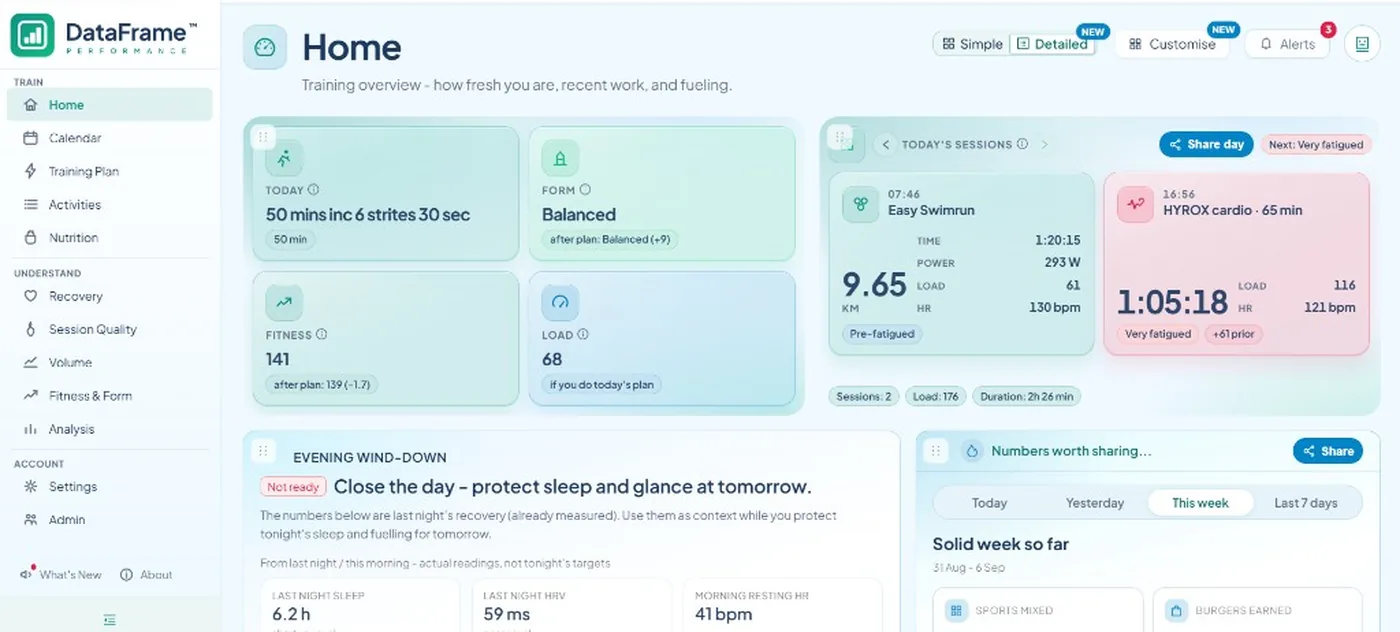
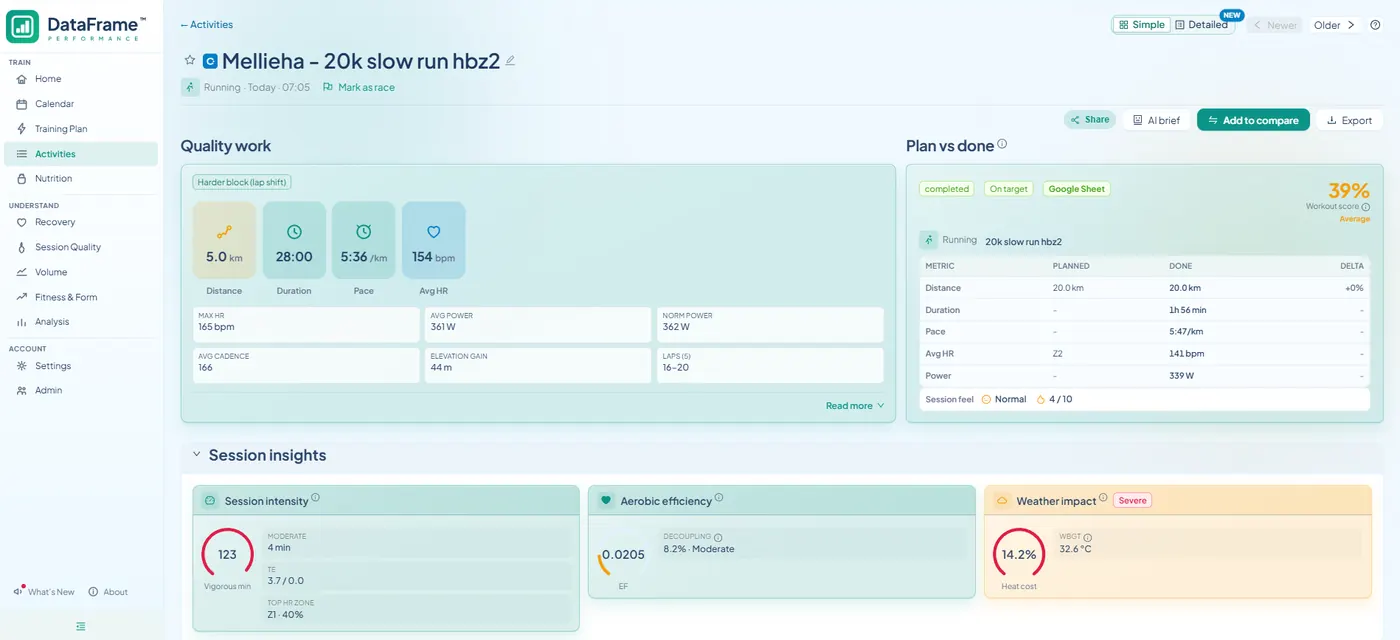
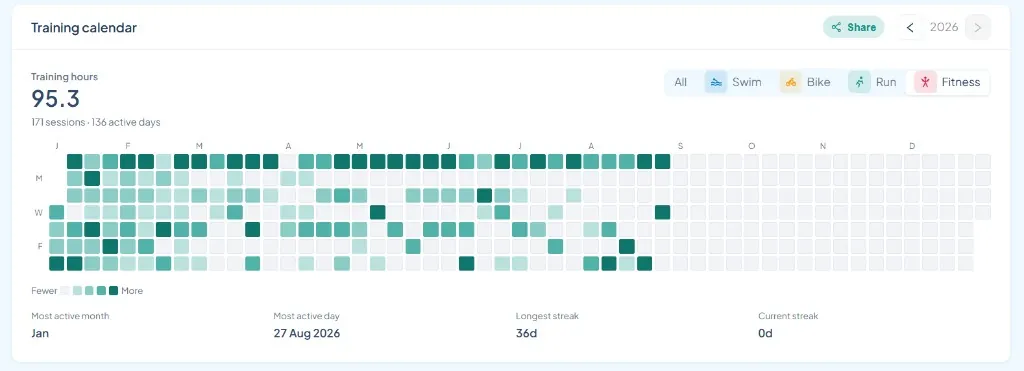
DataFrame is not a marketing mock. Every image on this page is a real product screen with anonymised training data - the same Home, Calendar, and activity detail you open after sync.
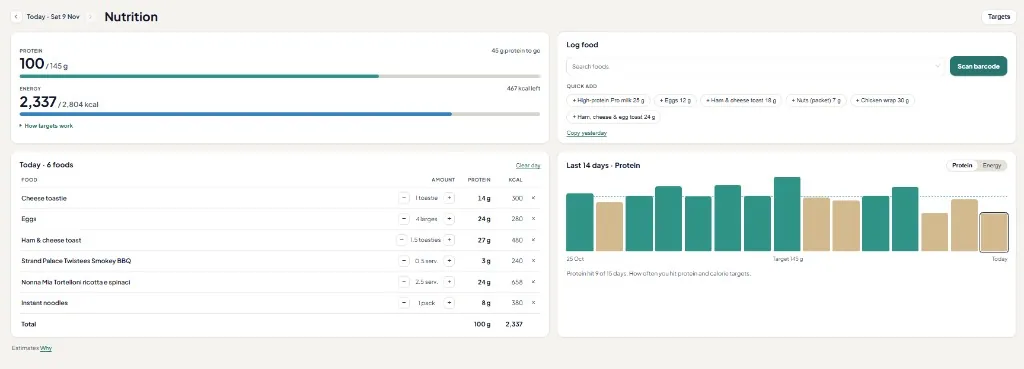
Use this page as a tour: start on Home for the daily call, open a session when you want quality and plan vs done, then step into recovery, week compare, nutrition, and your activity log when you need the wider picture.
1
Home weighs overnight recovery against today's plan so you can keep, shorten, or ease the session before you leave.
2
Open an activity for the hard block, plan vs done, zones, and whether repeats faded - not only the session average.
3
Sleep, HRV, Body Battery, and readiness from Garmin sit next to the work so a hard day is an informed choice.
4
Same-pattern quality and week compare show whether the hard work and the week as a whole are moving the right way.
Calendar
Calendar is where you write the week yourself, paste an AI week, see sessions a coach assigned, or see imported coach plans. Structured sessions can push to Garmin so the workout is on the watch when you start. Optional Google Calendar keeps the same week on your phone.
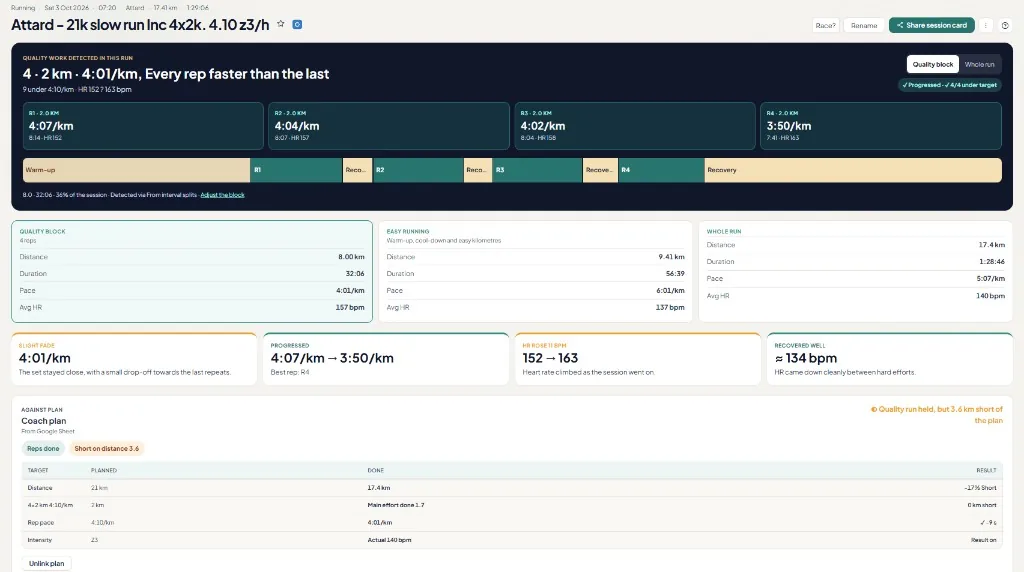
After you train
Averages hide the set. Open a session and DataFrame spotlights the quality work - intervals, long-run effort, or stations - then shows plan vs done and whether pace or heart rate held late.
Nutrition
When you want the day complete, log meals and protein on the same day as the sessions you already synced. It is not a diet-coach product - it is fuelling context next to training load.
Readiness, sleep, and HRV next to today's plan - so you know if last night still supports the work.
Judge the hard block, not only the session average - then see if matching sets are trending.
Line up whole Monday-Sunday weeks for load, sleep, form, and every session.
Export activity, day, or week cards for social feeds, plus private public links you control.