Garmin keeps the session
GPS, pace, power, and plan vs done stay on the watch activity
Garmin + WHOOP
Garmin knows the workout. WHOOP knows the night. DataFrame joins them so Home can ask whether today's hard session still fits - without two dashboards and without double-counting the same ride.
Connect Garmin and WHOOP in Settings - one primary watch plus the band
GPS, pace, power, and plan vs done stay on the watch activity
Recovery, sleep, and strain win when WHOOP has that day
The same workout does not land twice
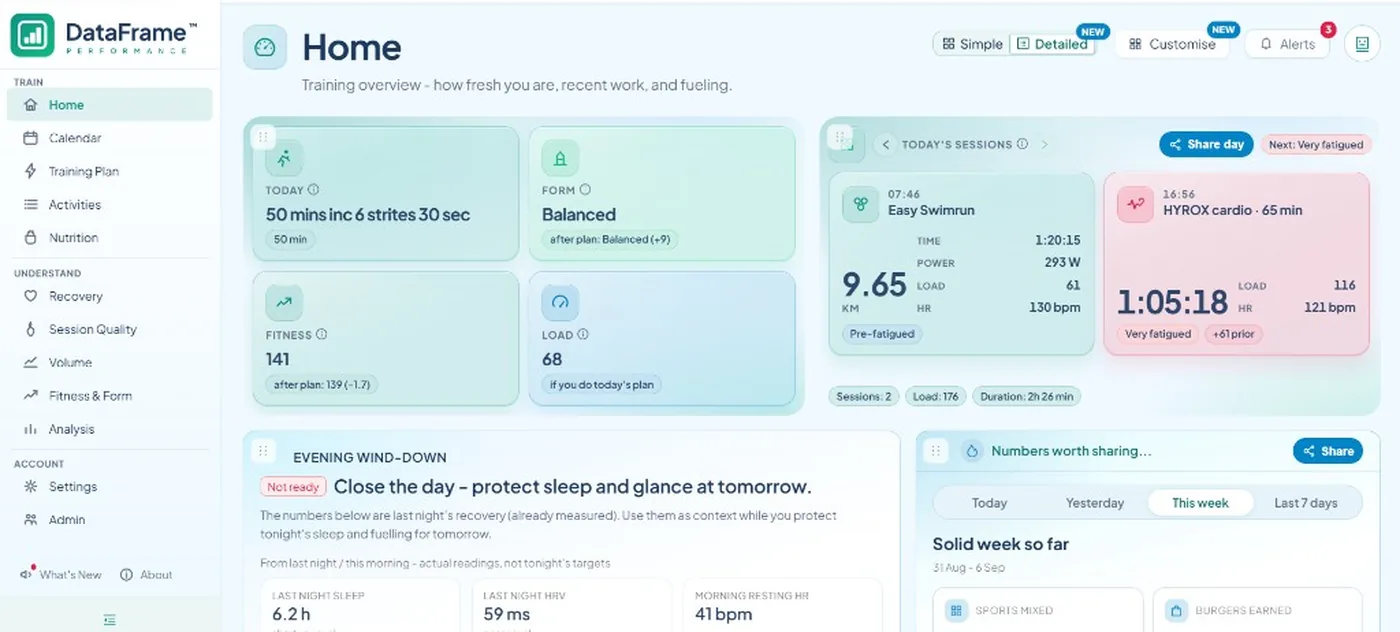
Today's plan next to last night - then quality and weeks
| Need | Garmin | WHOOP |
|---|---|---|
| GPS, pace, power, FIT charts | Source of truth | Workout exists, without watch-native FIT depth |
| Structured workout and plan vs done | Yes - plus plan push to the watch | No plan push |
| Overnight recovery for Home | Used when WHOOP has no data for that day | Preferred when that night exists |
| Sleep extras | Garmin sleep when it is the source | Breath rate, consistency, efficiency, hours versus needed |
| Strain vs daily stress | Garmin daily stress stays separate | WHOOP strain as a 0-21 score |
| Same workout logged twice | Watch activity stays | WHOOP copy is not the activity you open |
How the join works
You still train in Garmin Connect and recover in WHOOP. After you link both in Settings and sync, DataFrame builds one week: watch sessions for quality, WHOOP nights for the morning call.
The morning call
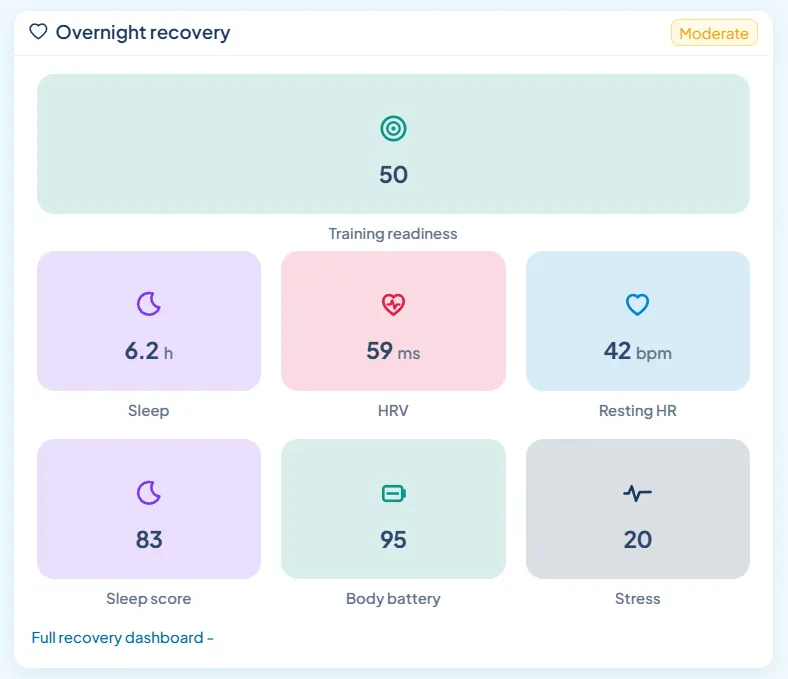
That is the useful part. Recovery prefers WHOOP when the night exists, so Home can say keep, shorten, or easier against the session you already planned on Garmin - not a second app you have to reconcile by eye.
After you train
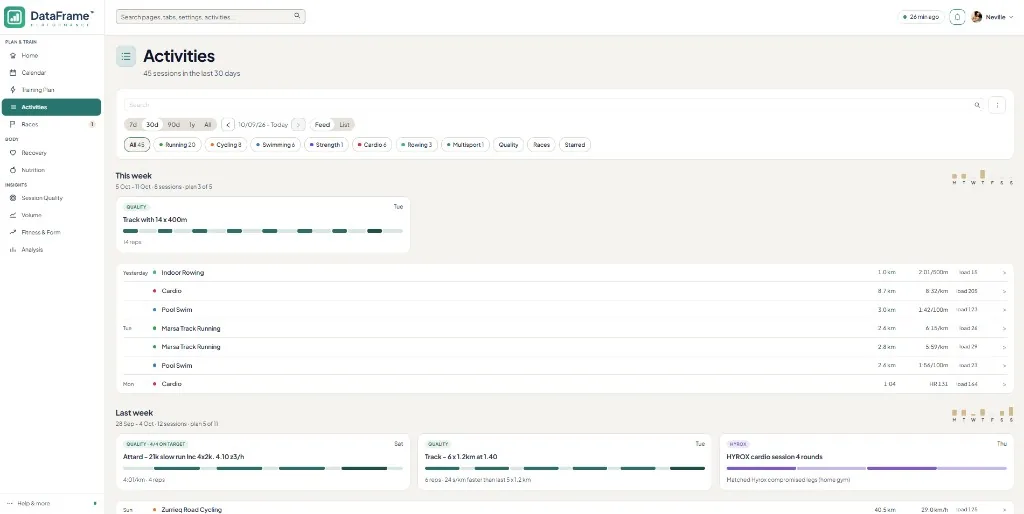
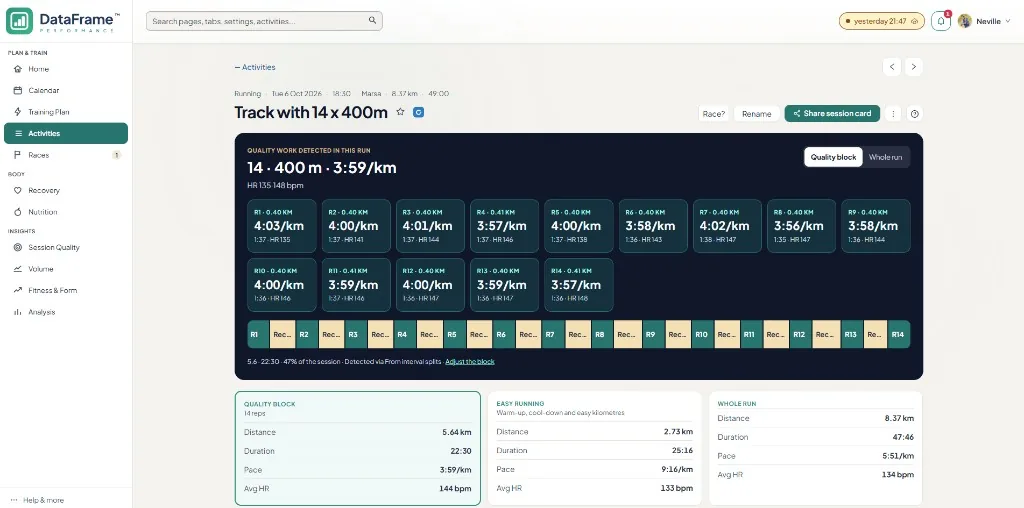
Interval compare, plan vs done, bricks, and hybrid sports read the Garmin (or Polar) activity. WHOOP does not replace that file. It supplies the night so the quality work is judged in context.
1
No password, no card.
2
Settings: Garmin as the watch, WHOOP alongside. Polar can be the watch instead.
3
Last night and today's session land in one place.
No. Each works on its own. Together they are stronger: watch depth plus WHOOP nights. Polar can be the primary watch instead of Garmin.
Overnight recovery prefers WHOOP when it has data for the day. Otherwise it uses Garmin wellness.
No. When both logged the same workout, the Garmin or Polar activity stays as the session you open.
No. Plan push is Garmin-only. Calendar planning stays in DataFrame.
Decision layer on top of Connect - not a replacement.
Keep the band for recovery. DataFrame is the week and quality layer.
Session analytics on Polar exercises - overnight scores need Garmin.
Watch-native clarity - keep TP for coach delivery if you use it.
What you get beyond Connect after Garmin is linked.