Support
Plan a season with phases and fitness
Use the athlete's Season view as an annual training plan: add base, build, peak, race and transition phases with weekly targets, place blocks, and check fitness, fatigue and form towards race day.
About load
Load is DataFrame.fit's own estimate, not TrainingPeaks TSS. The Weeks around today table lists target, planned and done hours and load for the weeks either side of now.
Steps
1. Open Season
Open an athlete and switch from Overview to Season. The top line says where they are, for example On track. Build now. Next: Peak from Mon 9 Nov. Easy and Advanced change how much detail the tiles show.
2. Add phases
Choose Add phase and pick base, build, peak, race or transition, the dates, and weekly hours or load. Fill the second box to ramp from the first week to the last, and tick lighter weeks for an easier fourth week.
3. Read the season plan
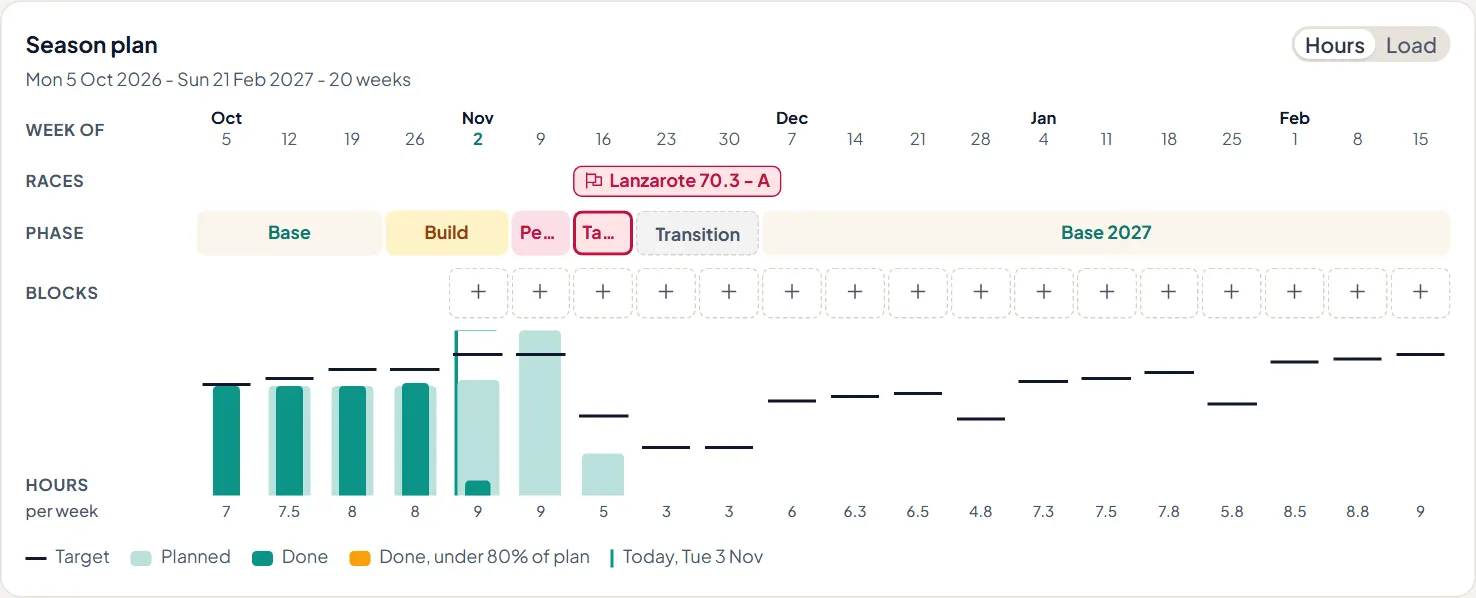
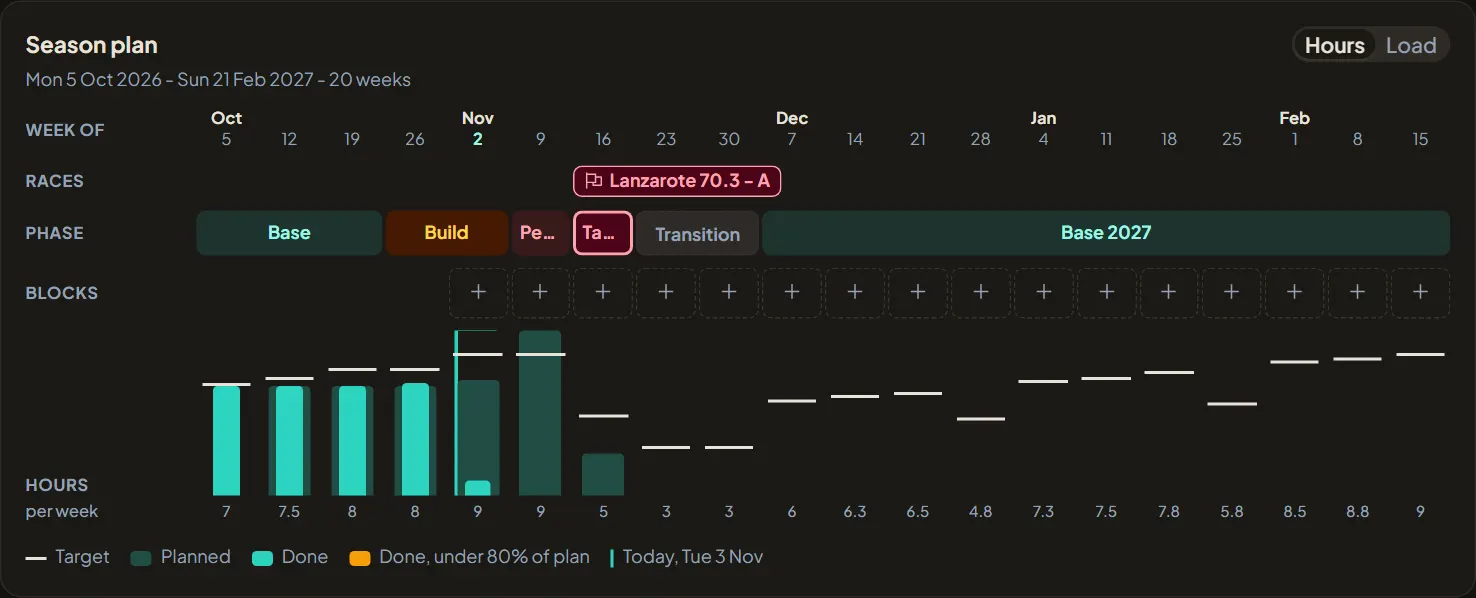
Each week shows its target, what is planned and what was done, with races marked above. Switch between Hours and Load. Click a phase to change it, or + on a week to place a block there.
4. Check fitness and form
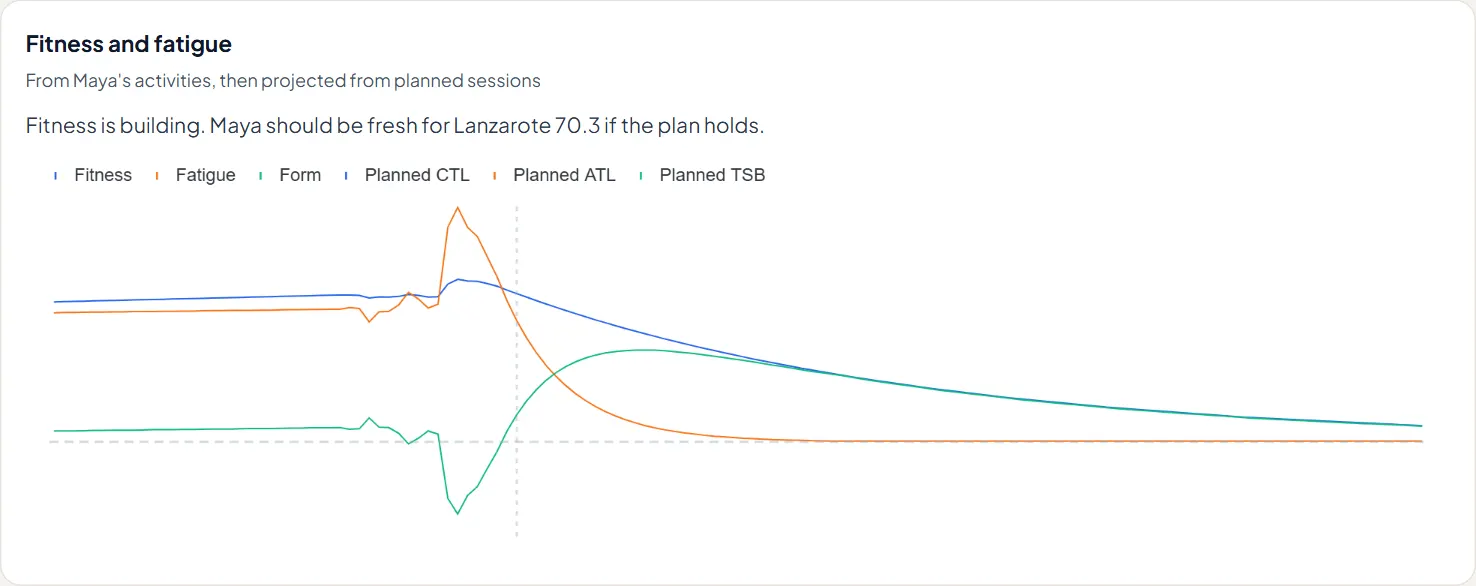
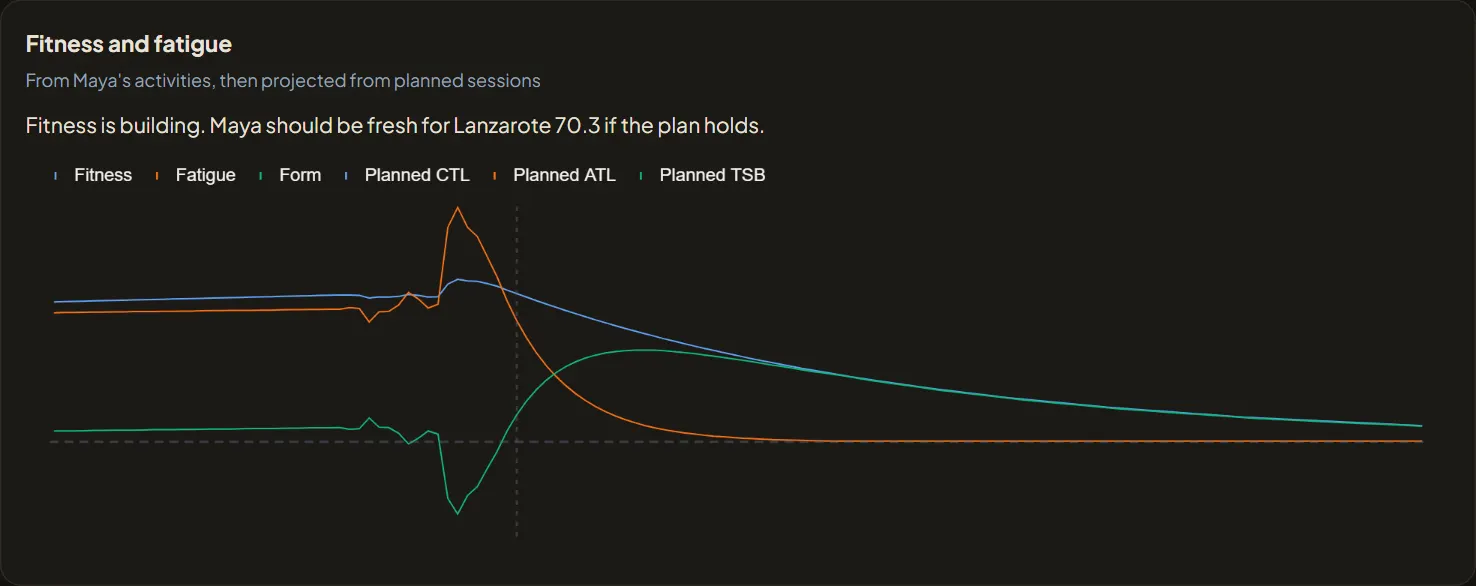
Below the plan, fitness, fatigue and form come from the athlete's activities and are projected forward from the sessions already planned, so you can see whether they will arrive fresh on race day.