Sport dashboard
Cycling training dashboard for Garmin athletes
DataFrame.fit treats cycling as a first-class sport on top of Garmin Connect. Rides get power zones, FTP, bike splits, and indoor fills from MyWhoosh without double-counting the same session.
Why athletes stay
What cyclists get
Rides with a power meter show Power Zones next to HR Zones. Structured Garmin workouts show plan vs done. Mean-max, CP / W', and W'bal sit on the activity warehouse. Optional MyWhoosh fills indoor rides that never landed in Connect.
Power next to heart rate
Power Zones, FTP, and bike splits sit on the session so indoor and outdoor rides stay comparable.
Plan vs done on structured work
After a Garmin workout, see how the ride landed against the plan - not only the file name.
Physiology that follows the warehouse
Mean-max, CP / W', and W'bal stay tied to your rides, including MyWhoosh fills without double-counting.
Week compare for load
Put weeks side by side for load, heart rate, sleep, and Form when you build or taper.
Watch-first
Keep your watch app for the device
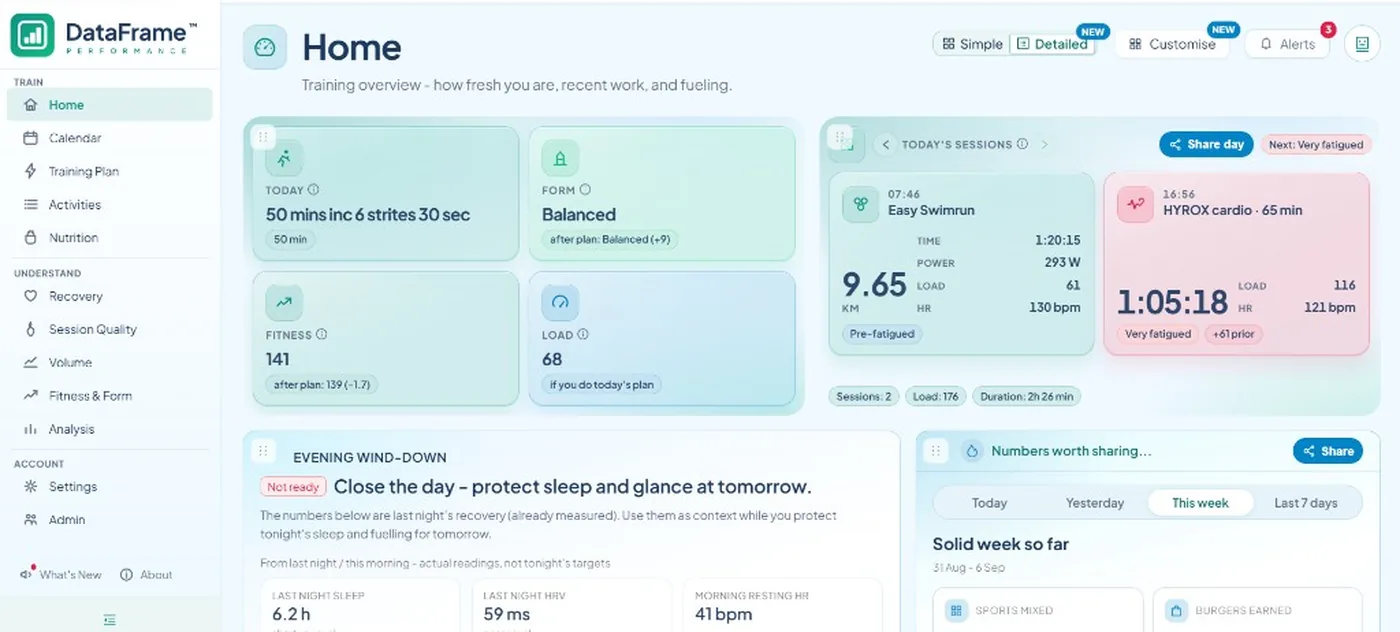
Keep Garmin Connect for the watch and the official activity. DataFrame.fit is the decision layer: today's plan check from recovery, quality of the bike work, and share cards for a session, a day, or a week.
Train more than one sport?
Explore related dashboards
- RunningDataFrame.fit treats running as a first-class sport on top of Garmin Connect. You get pace language, quality-b…
- SwimmingDataFrame.fit treats swimming as a first-class sport on top of Garmin Connect. Pool and open-water sessions ke…
- TriathlonDataFrame.fit treats triathlon as a first-class sport on top of Garmin Connect. You get swim, bike, and run vo…
Plan and ask
Training plan and AI for Cycling
Build the week on Calendar, then ask Claude or another assistant about your Cycling load, sessions, and recovery - you choose what each one may view or change.
Plan the week onto your watch
Add Cycling sessions on Calendar or pull a coach source on Training Plan, then send structured work to your watch with plan vs done after you train.
Open CalendarAsk an AI assistant
Connect Claude, Cursor, ChatGPT, or another assistant. Ask about this week's Cycling volume, a key session, or whether tomorrow still fits - without pasting spreadsheets into chat.
How to connectAll sports DataFrame.fit supports